Chapter 7
AI help
Buttons right where you work that read, sum up and draft the busywork: fill a gig from an email, scan a receipt, draft a reply, read a contract, ask a question. Everything is a draft you check, nothing is sent by itself, it only reads your own band's data, and you can switch it off.
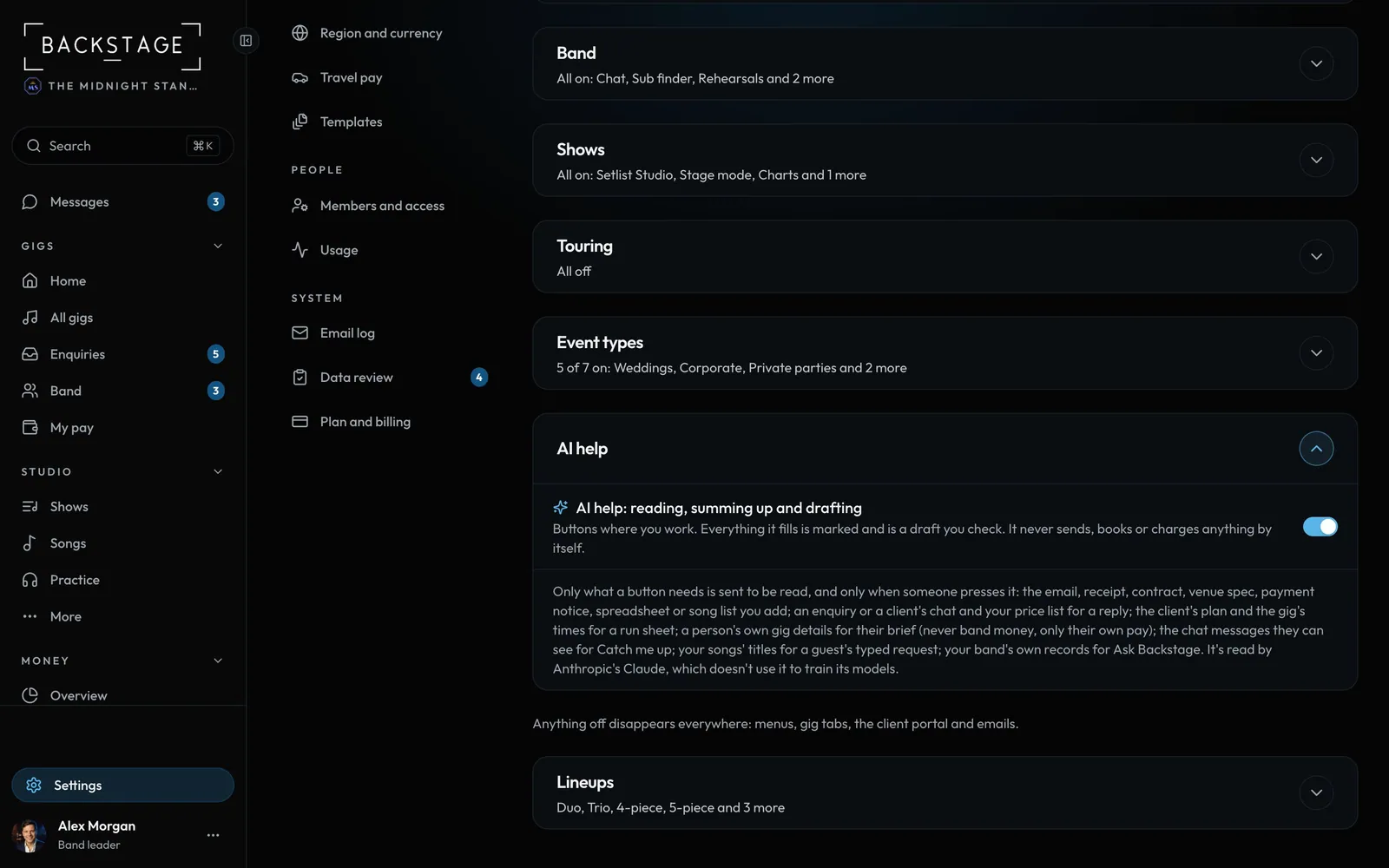 01 · Band leadersHow AI help worksButtons right where you work that read, sum up and draft the busywork. Everything it gives you is a draft you check. It never sends, books or charges anything by itself.Read
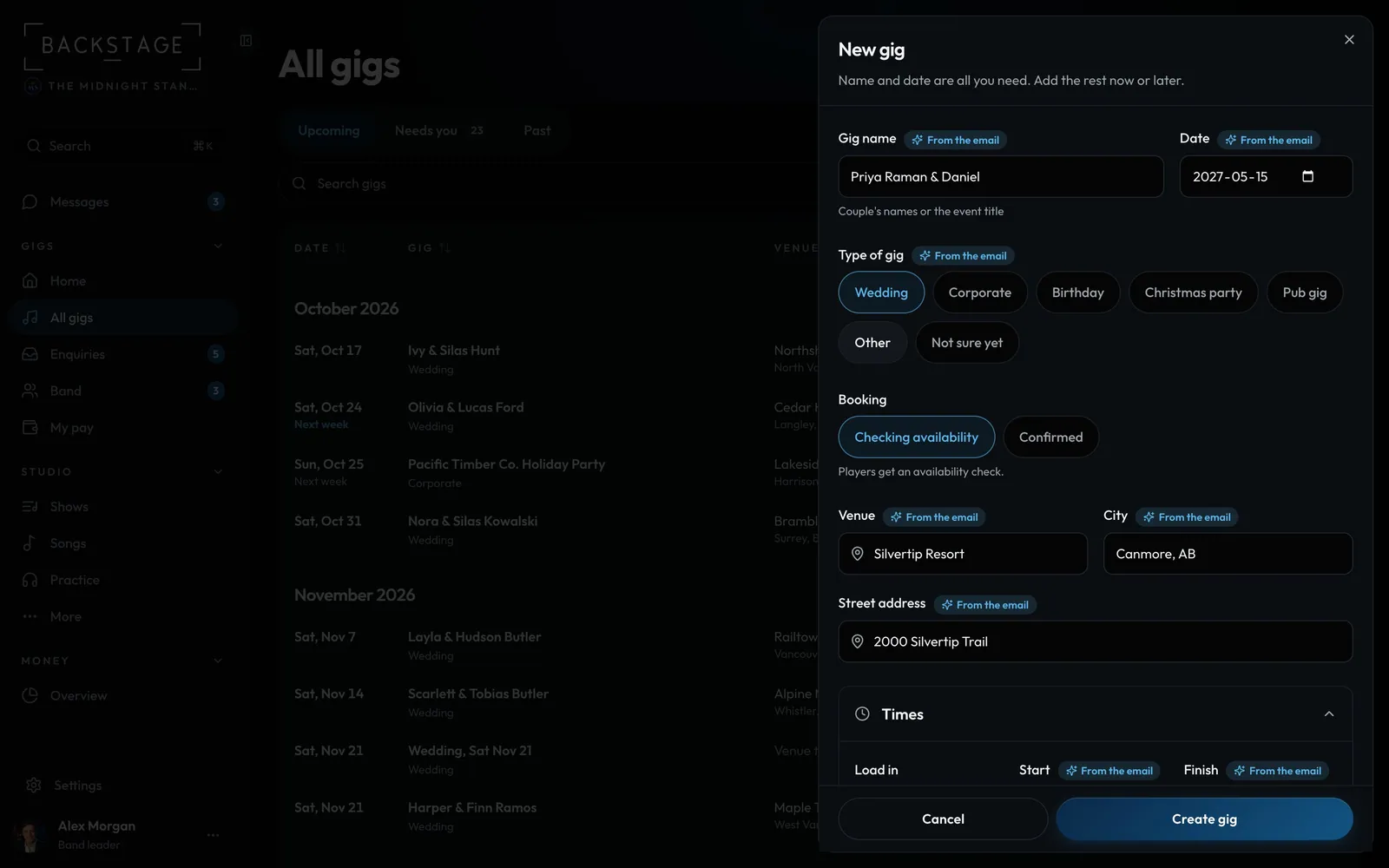 02 · Band leadersFill a gig from an emailPaste the client's email into a new gig or enquiry. The date, venue, times, guests, lineup and budget fill in for you to check.Read
 03 · Band leaders · EnquiriesDraft a reply to an enquiryA first reply in your band's voice, with your real prices and the booking link if you want it. You read it, make it yours and send it yourself.Read
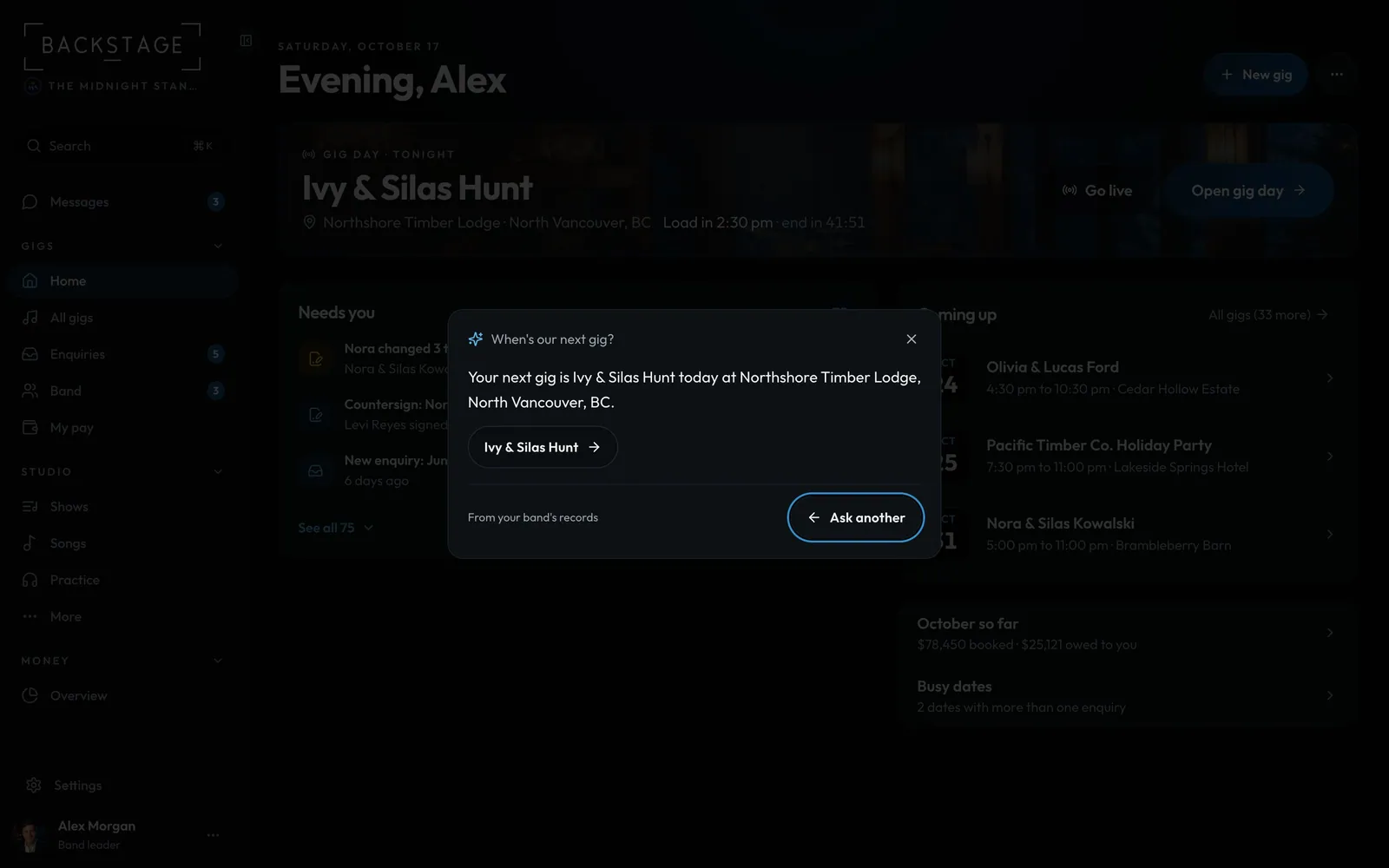 04 · Everyone · SearchAsk BackstageAsk a question in plain words in search: when's our next gig, who's on it, who's away on the 8th, how much are we owed. The answer comes from your own band's records, with links to the pages.Read
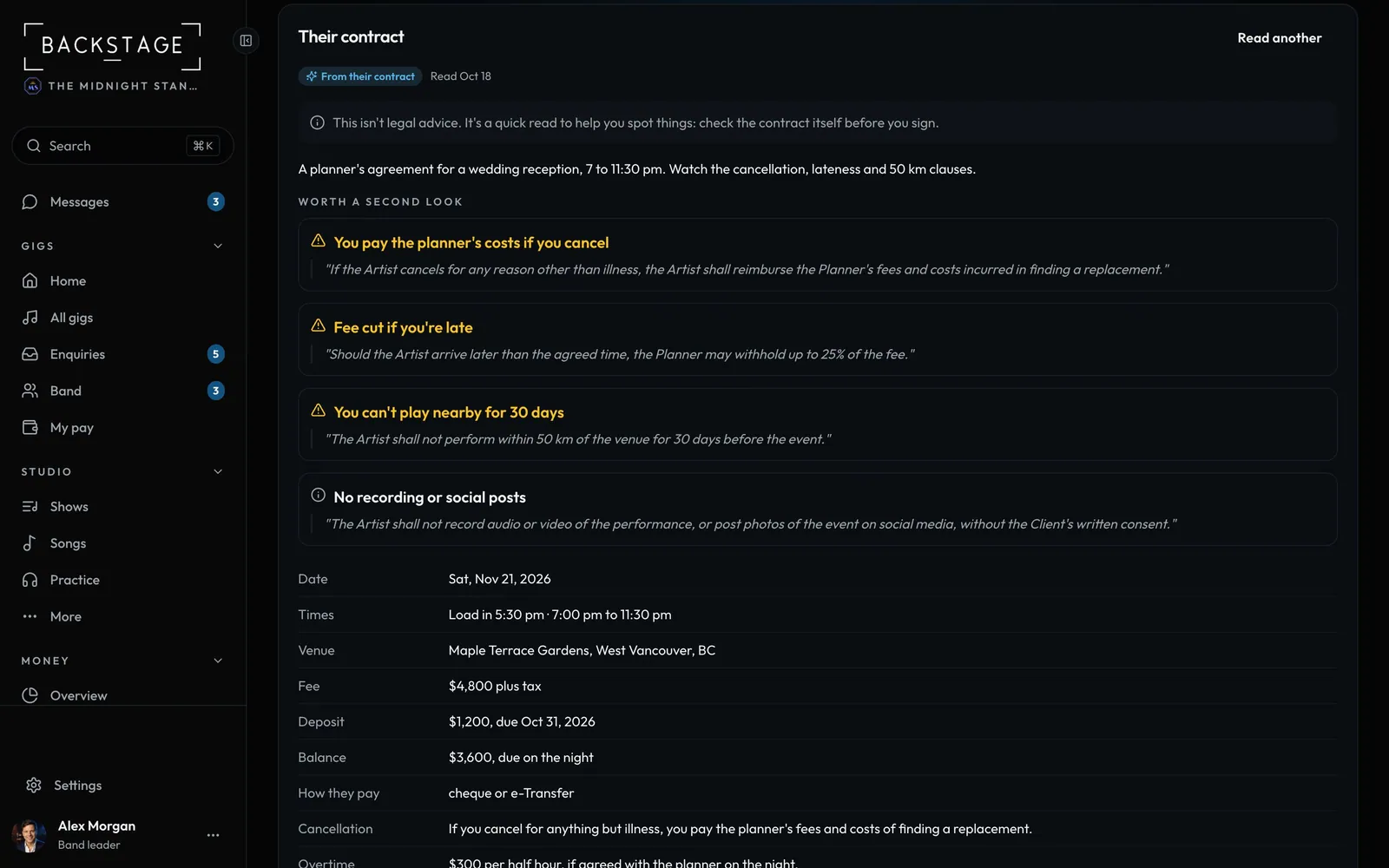 05 · Band leaders · The gigRead their contractA venue or planner sent you their contract? Add it to the gig and get the dates, money and rules in plain words, plus the clauses worth a second look, each quoted from the contract.Read
 06 · Band leaders · The gigThe venue's specAdd the venue's tech or production sheet. You get the stage, power, PA, curfew, sound limit and load-in in one place, checked against your stage plot so a clash shows before the night.Read
 07 · Band leaders · The gigDraft the run sheetTurn the client's plan and the gig's times into a timed run of show: load in, soundcheck, dinner, speeches, first dance, sets and breaks. Guessed times are marked, and what's missing becomes questions for the client.Read
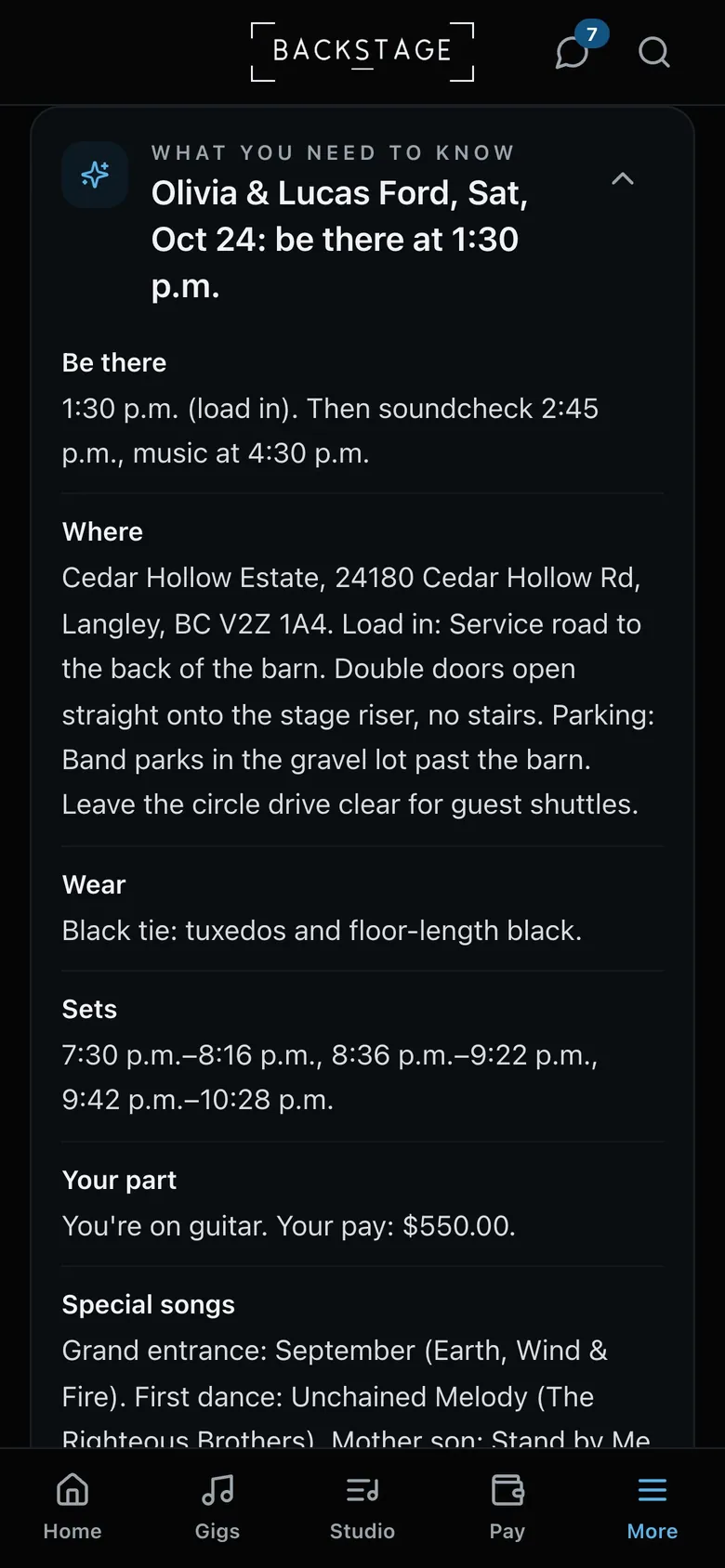 08 · Everyone · Gig dayWhat I need to knowOne short brief for you on Gig day: when to be there, where to go, what to wear, the set times, your part and the special songs. And what changed since you last looked.Read
 09 · Band leaders · MessagesReply, remind and catch up in chatsIn a client's chat, draft a reply or a friendly reminder about what's still missing. On any long chat, Catch me up sums up what you missed. Drafts land in the box: nothing goes until you tap send.Read
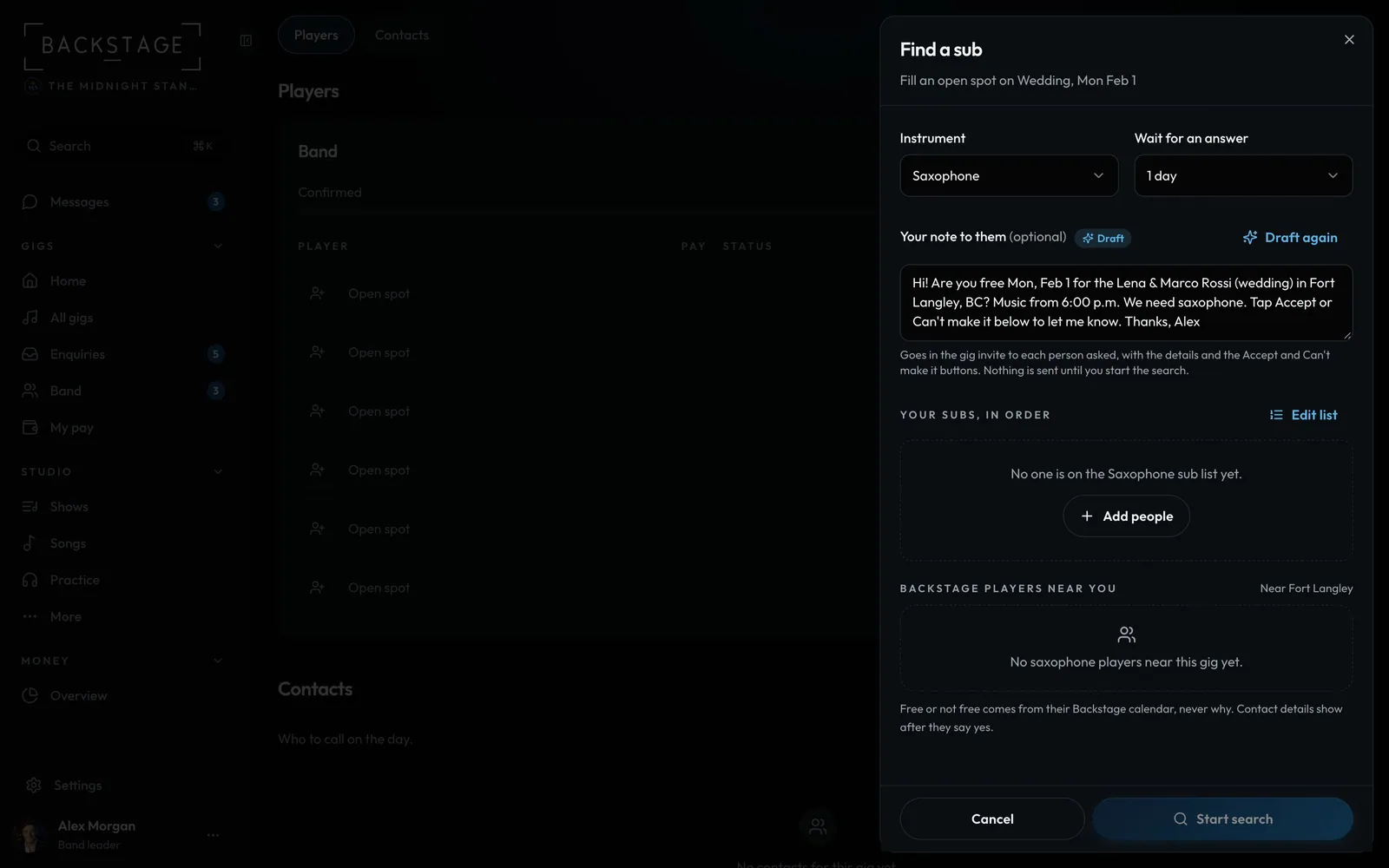 10 · Band leaders · LineupDraft the note to a subWhen you look for a sub, Draft it writes the ask for you: the date, the gig, the pay, load in, the sets and what to wear. Everyone asked gets the same note.Read
 11 · Band leaders · MoneyExpenses and Scan a receiptEvery band now has Expenses under Money: gear, fuel, marketing and the rest, by month, with the tax on each receipt. Snap a receipt and the details fill in. It all feeds the tax pack.Read
 12 · Band leaders · MoneyMatch a paymentGot an e-Transfer or a bank notice? Paste it and Backstage finds the booking it's for, by the amount, the name and the invoice number. You mark it paid.Read
 13 · Band leaders · GigsImport gigs from a spreadsheetBring your old spreadsheet in, whatever the columns are called. Date, Venue, Bride, Groom, Fee incl GST: each column is matched to the right field, and you check it before anything is added.Read
 14 · Setlist editors · StudioSuggest a running orderA full running order for every set, shaped for this gig: the client's must-plays and key moments in, their do-not-plays out, keys and energy that flow. It lands in the builder for you to change.Read
 15 · Setlist editors · SongsAdd songs from a list or photoPaste your song list, open a CSV, or snap a photo of an old setlist. Each song is checked against your library, so duplicates are left out, and you tick what to add.Read