Artist managersFor managers
Statements and payments
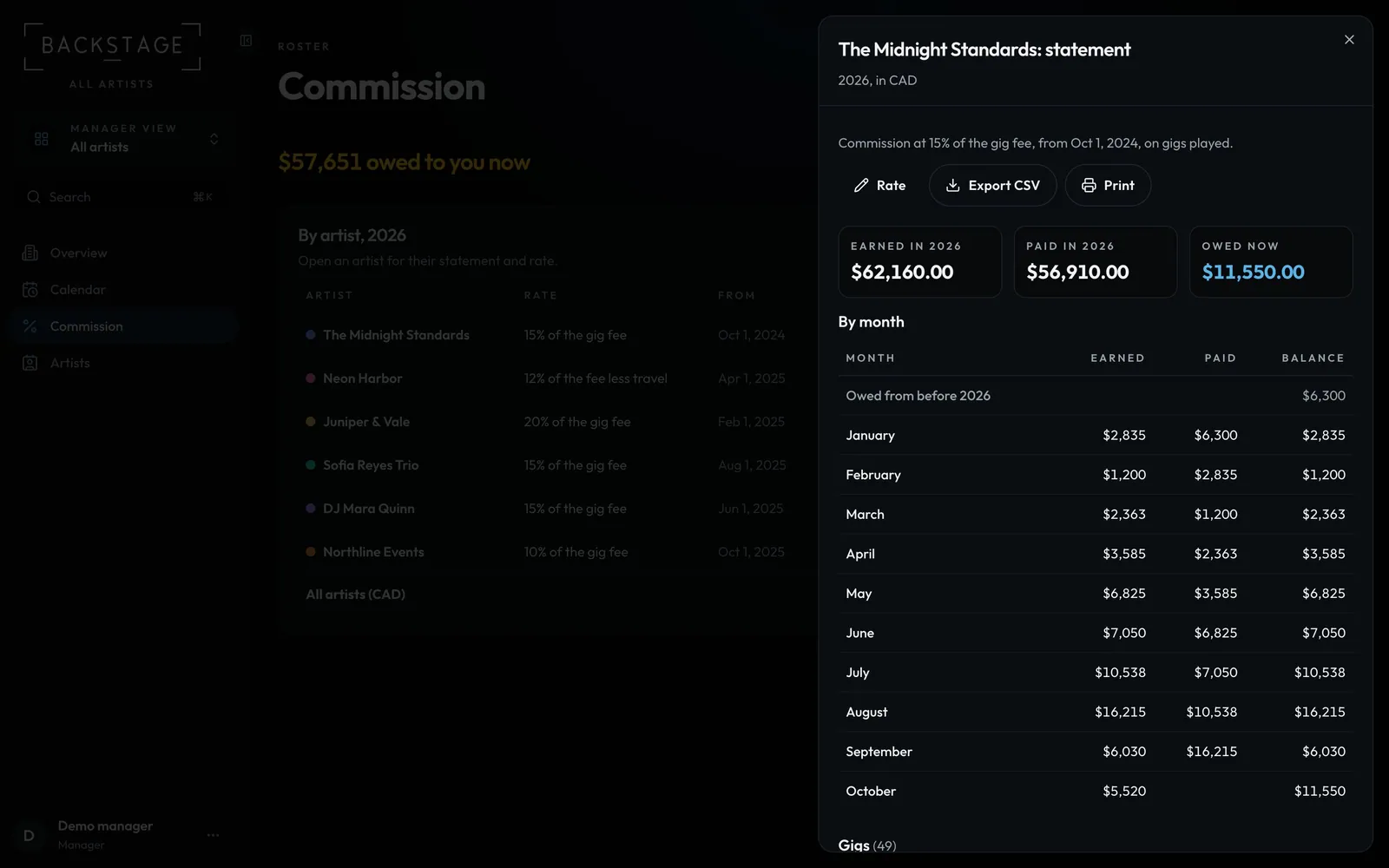
Send each artist a clear statement: month by month, gig by gig. Record their payments and the balance updates everywhere.
Swipe sideways to see the whole screen. Tap a number for its tip.
- PrintA PDF to send the artist.
- By monthEarned, paid and balance.
Swipe sideways to see the whole screen. Tap a number for its tip.
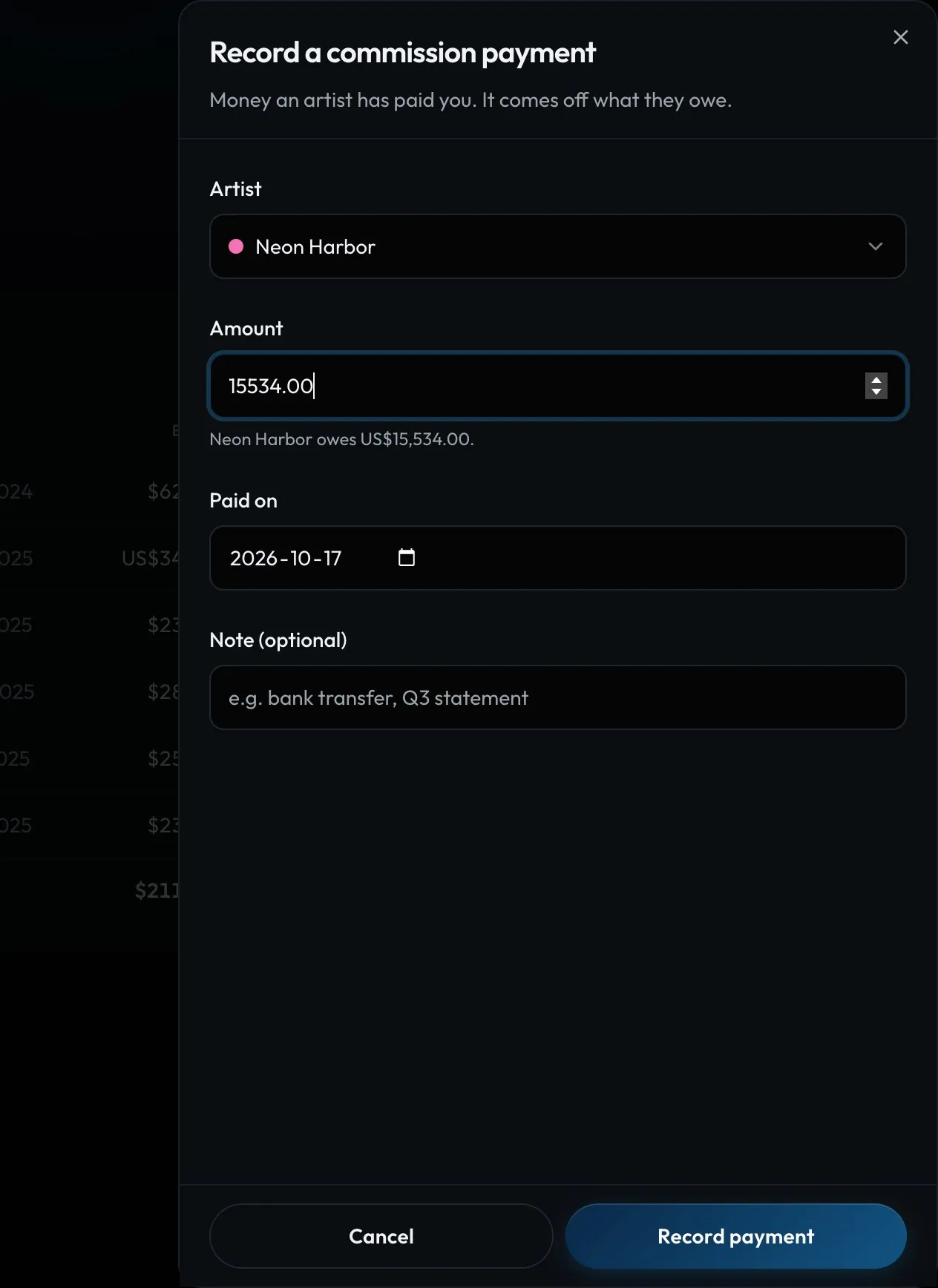
- AmountFilled with what they owe.
- Record paymentComes off their balance.
How to
- In Commission, click the artist's row to open their statement.
- Click Print or Export CSV.
- When they pay, click Record payment, check the amount and date, and save.