Band leaders · Set up
Busy dates
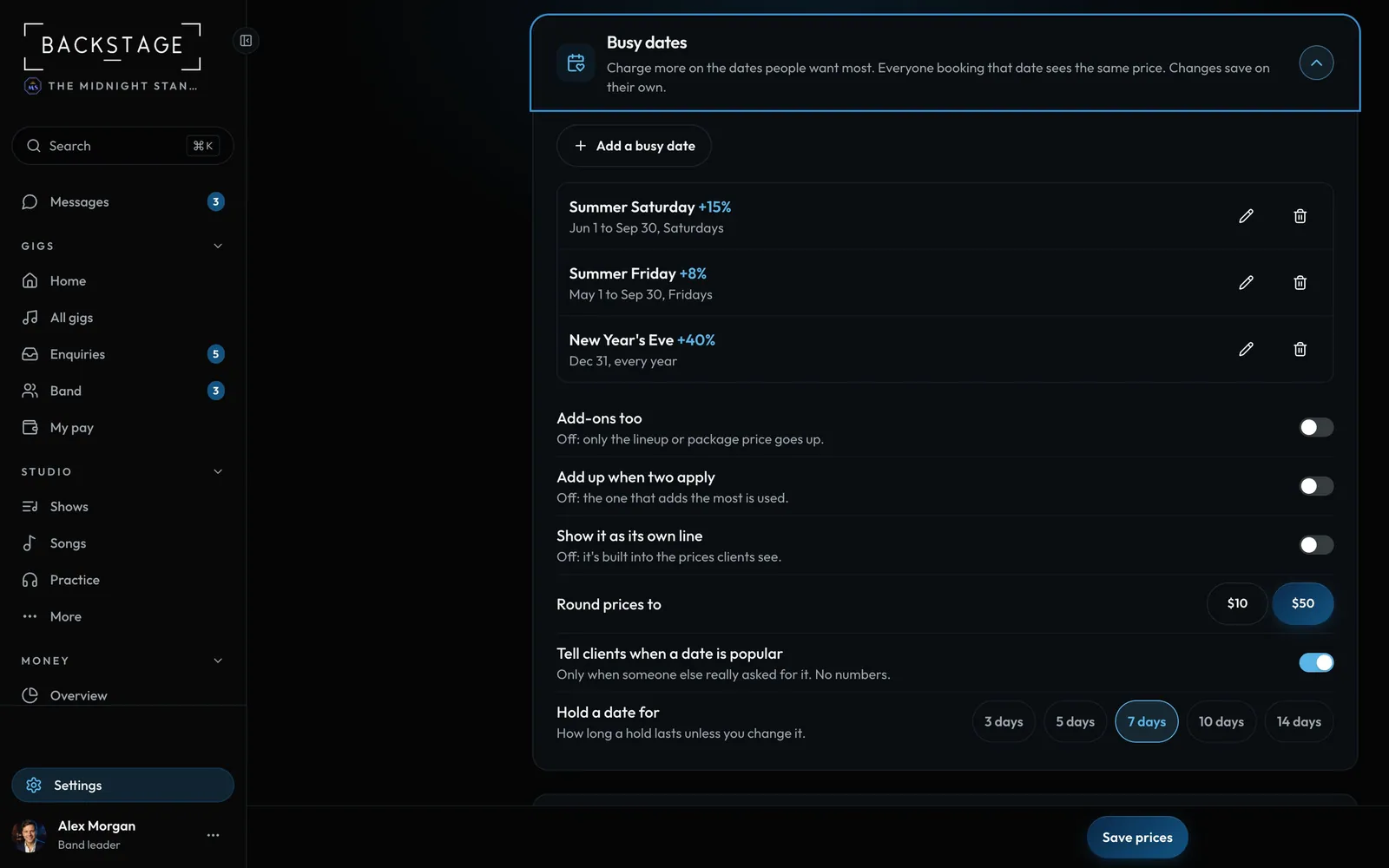
Charge a little more on the dates everyone wants, like summer Saturdays or New Year's Eve. Every client gets the same price, shown as one clear line.
Swipe sideways to see the whole screen. Tap a number for its tip.
- Busy-date rulesSeasons, weekdays or exact dates, plus a percent or an amount.
How to
- In Packages and prices, open Busy dates.
- Add a rule: a name ("Summer Saturday"), when it applies, and how much it adds.
- When two rules match, the bigger one wins, unless you tick stack.
- The same section sets how long holds last and the client's "This date is popular" line.
Tip
Tip
The popular line only shows when another client really is asking about that date. You can switch it off.