Chapter 11
Manager edition
Run several artists from one portal. Each artist keeps its own band, gigs and books; you get the roster at a glance, one calendar, double-booking alerts and commission.
 01 · Artist managersSwitch between artistsOne login, every artist. The switcher at the top of the sidebar moves you between the whole roster and any single artist, where everything works exactly like that band's own app.Read
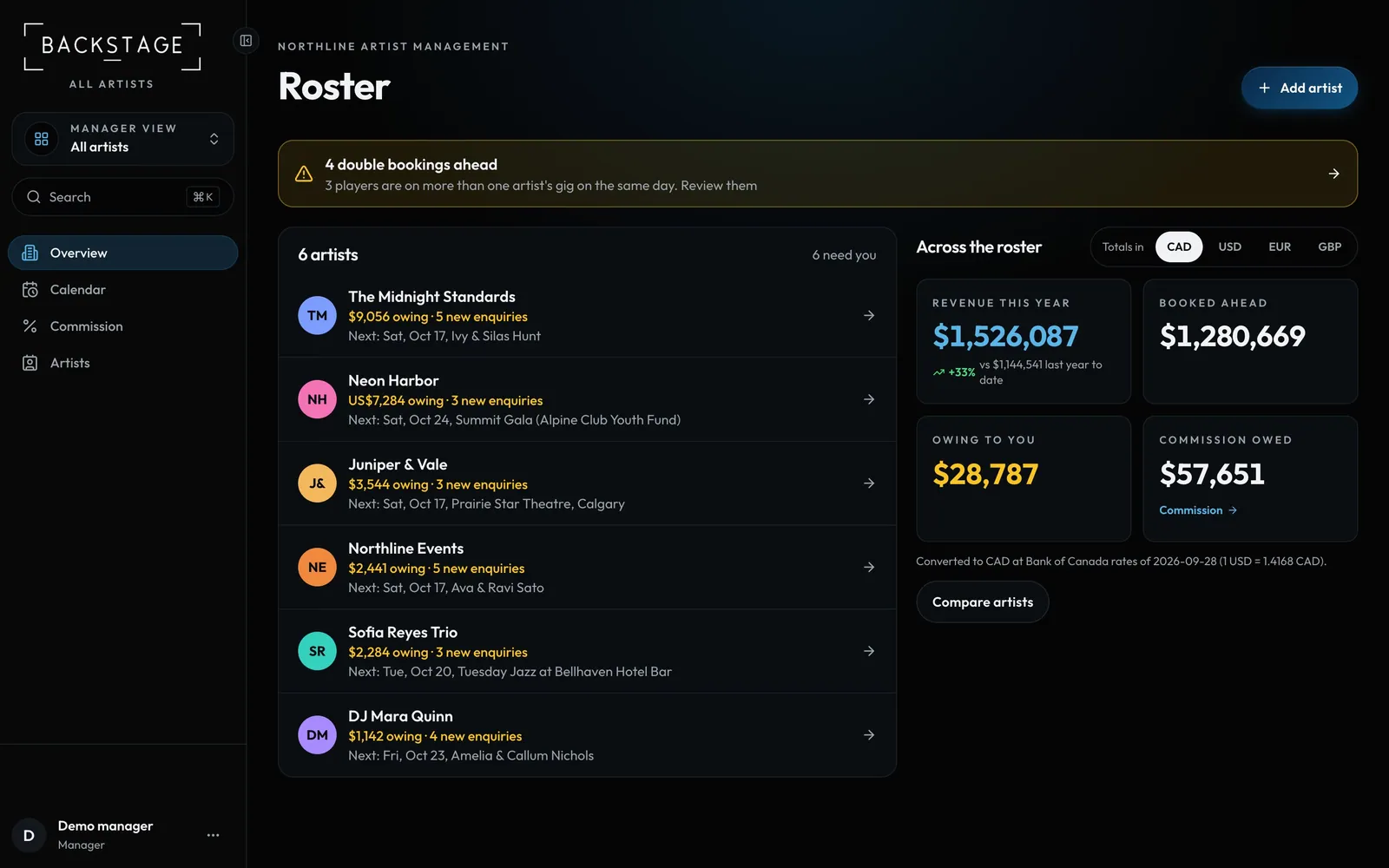 02 · Artist managersThe roster dashboardEvery artist's money and bookings side by side: revenue, booked ahead, gigs in the next 30 days, what's outstanding and your commission.Read
 03 · Artist managersThe roster calendarEvery artist's gigs on one calendar, colour coded, so you can see a busy weekend coming.Read
 04 · Artist managersConflicts and double bookingsThe same sub on two of your artists' gigs the same night? You'll see it here first, with a link to fix the lineup.Read
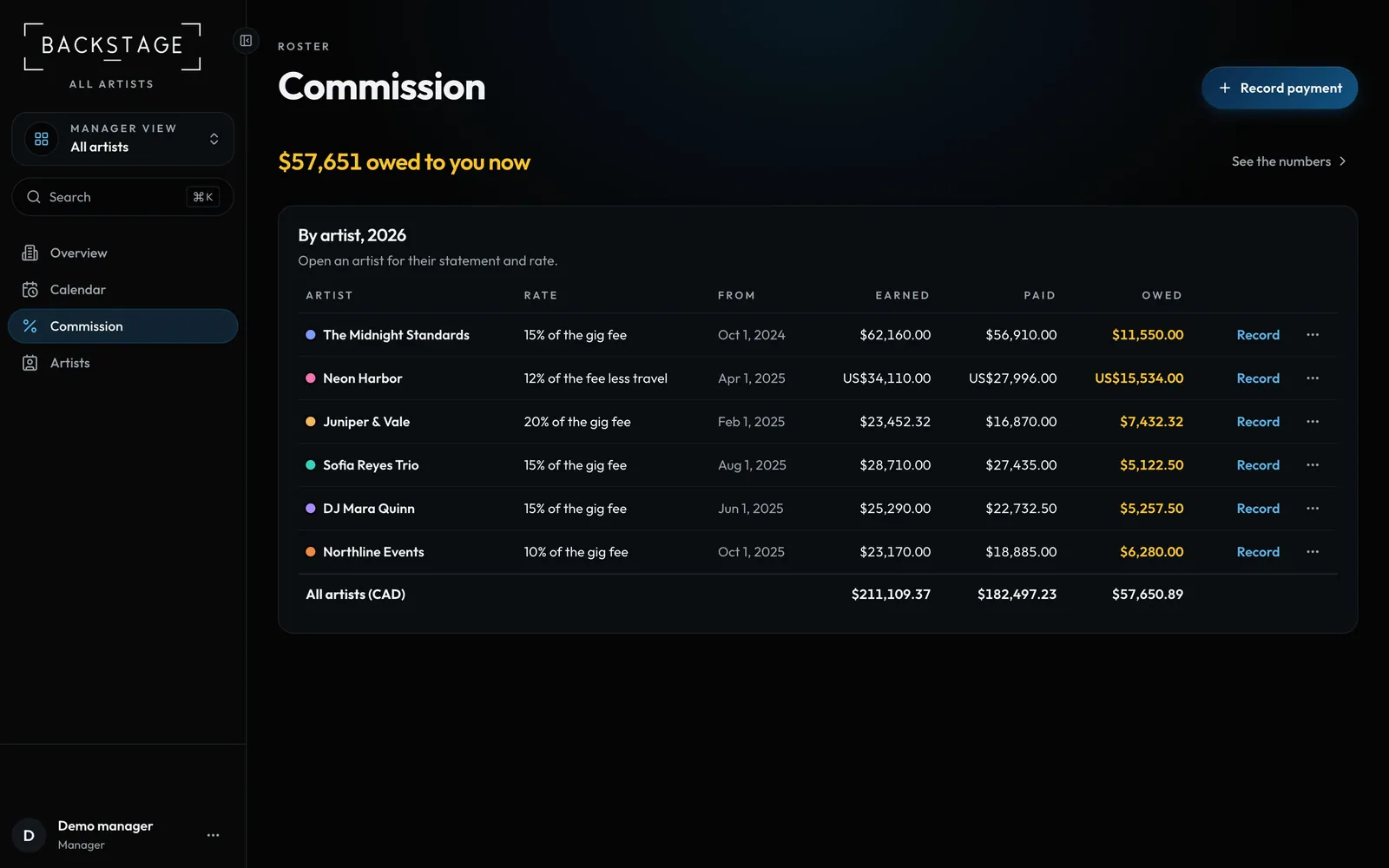 05 · Artist managersCommissionWhat you've earned from each artist, what they've paid you and what's still owed, worked out from every gig they play.Read
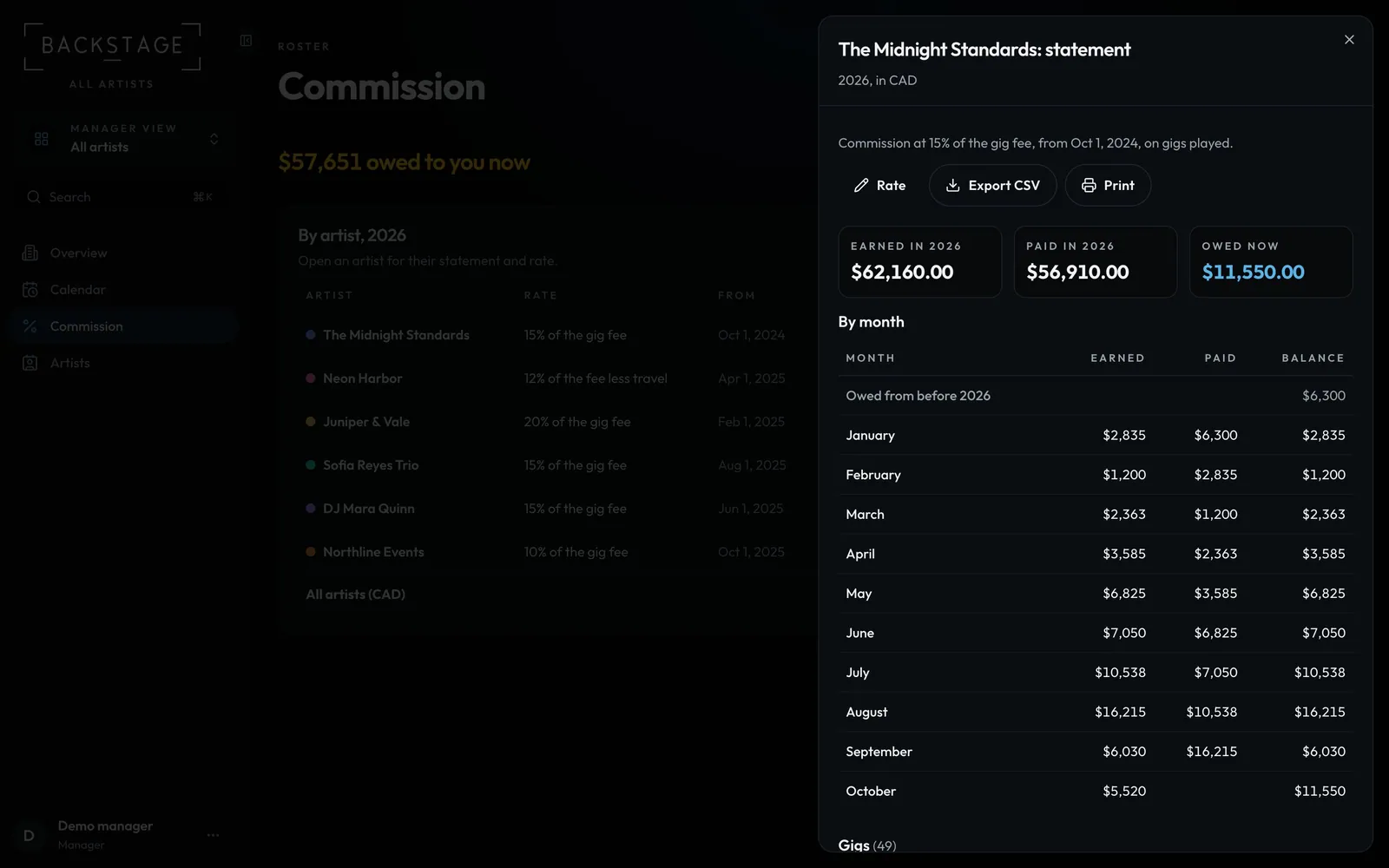 06 · Artist managersStatements and paymentsSend each artist a clear statement: month by month, gig by gig. Record their payments and the balance updates everywhere.Read
 07 · Artist managersAdd artists and their leadersEach artist gets its own band, gigs, people and money. Invite the artist's band leader and they sign in to their artist only.Read