Band leaders
Fill a gig from an email
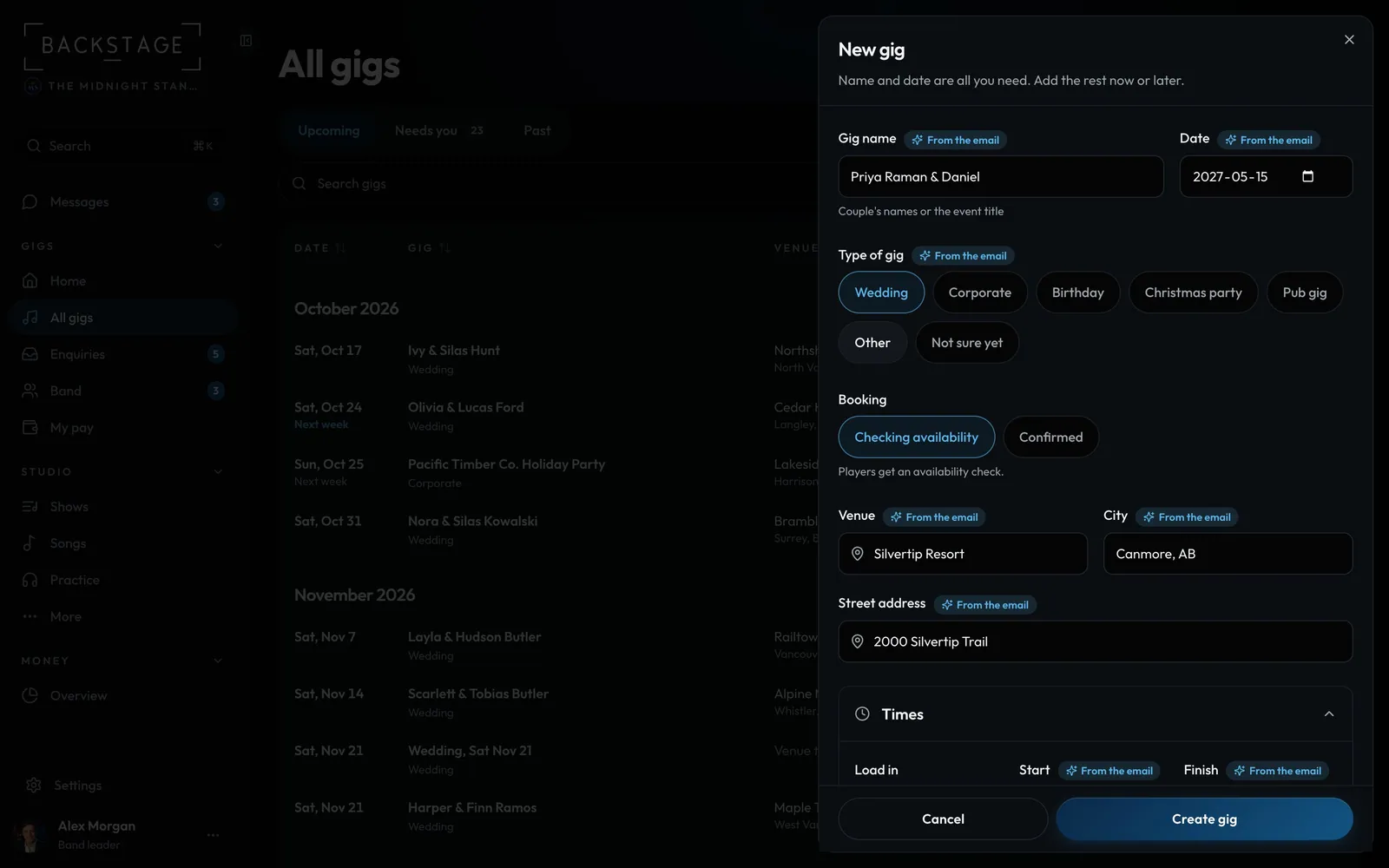
Paste the client's email into a new gig or enquiry. The date, venue, times, guests, lineup and budget fill in for you to check.
Swipe sideways to see the whole screen. Tap a number for its tip.
- Filled inFrom the client's email: names, date, venue, times.
- Marked for youEvery filled field says so until you change it.
- You save itNothing is created until you click.
How to
- Click New gig, or Add enquiry in Enquiries.
- Click Fill from an email and paste the whole email (or drop an .eml or .txt file on the box).
- Click Fill in. The fields it found are marked From the email. A date it wasn't sure of says check it.
- Already have an enquiry from that email address? It tells you, with Open it instead.
- Check it, change anything, then save.
Tip
Tip
Only that email is read. In the demo, Try a sample email shows it working.