In the demo · In testingFor everyone
Practice: play along with the band
Learn a song by playing along with the real recording. The chart follows the music, your part is muted so you fill the gap, and you can loop a section, slow it down or play it in another key.
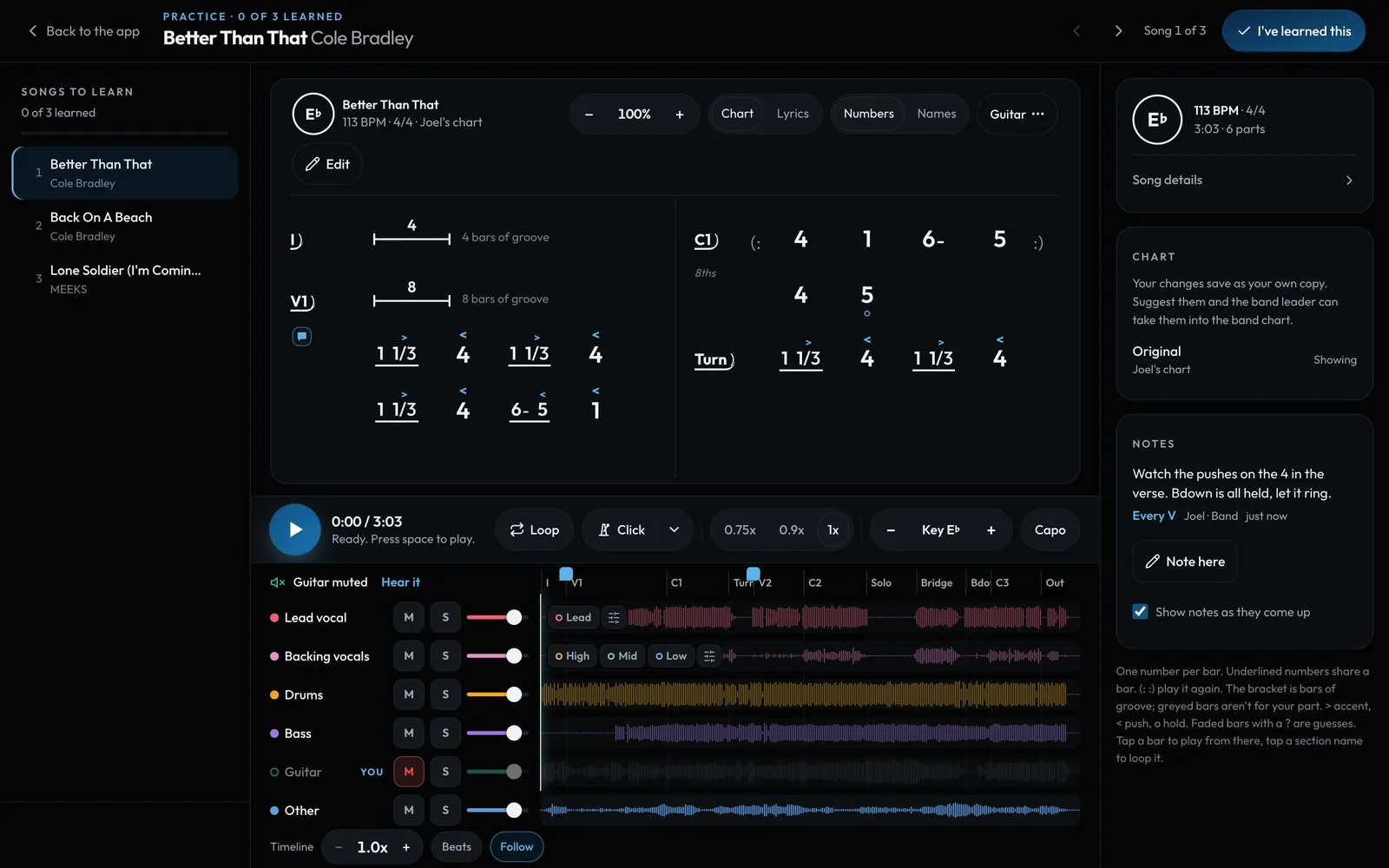
Swipe sideways to see the whole screen. Tap a number for its tip.
- I've learned thisYour leader sees you're ready.
- SectionsTap a section name to loop it. Tap a bar to play from there.
- Slow it down0.75x or 0.9x, and the pitch stays put.
- Waveform lanesOne lane per part on a computer or iPad, with mute, solo and volume.
- Your partMuted for you, so you play it. Hear it puts it back.
How to
- Open Practice from the Studio menu, from a song's sheet, or from Practice this set on a gig.
- Press Play (or the space bar). The chart lights the bar that's playing and turns the page for you.
- Your part is muted, so you play it. Tap Hear it to put it back. On a computer or iPad each part has its own waveform lane with M (mute), S (solo) and a volume. Phones show one waveform and a chip per part.
- Tap a section name like V1 or C1 to loop it. Loop keeps going round until you stop it.
- 0.75x and 0.9x slow it down without changing the pitch. Click adds a count-in and a click on the band's own beat.
- When you know it, tap I've learned this.
Tip
Tip
Practice is in the demo now. On the beta, bands switched on by Backstage can upload a recording of their own song (on the song's sheet, Practice tracks) and get six parts: lead vocal, backing vocals, drums, bass, guitar and other. That part is in testing, on request. It works on a phone, an iPad and a computer.