Band leaders
How AI help works
Buttons right where you work that read, sum up and draft the busywork. Everything it gives you is a draft you check. It never sends, books or charges anything by itself.
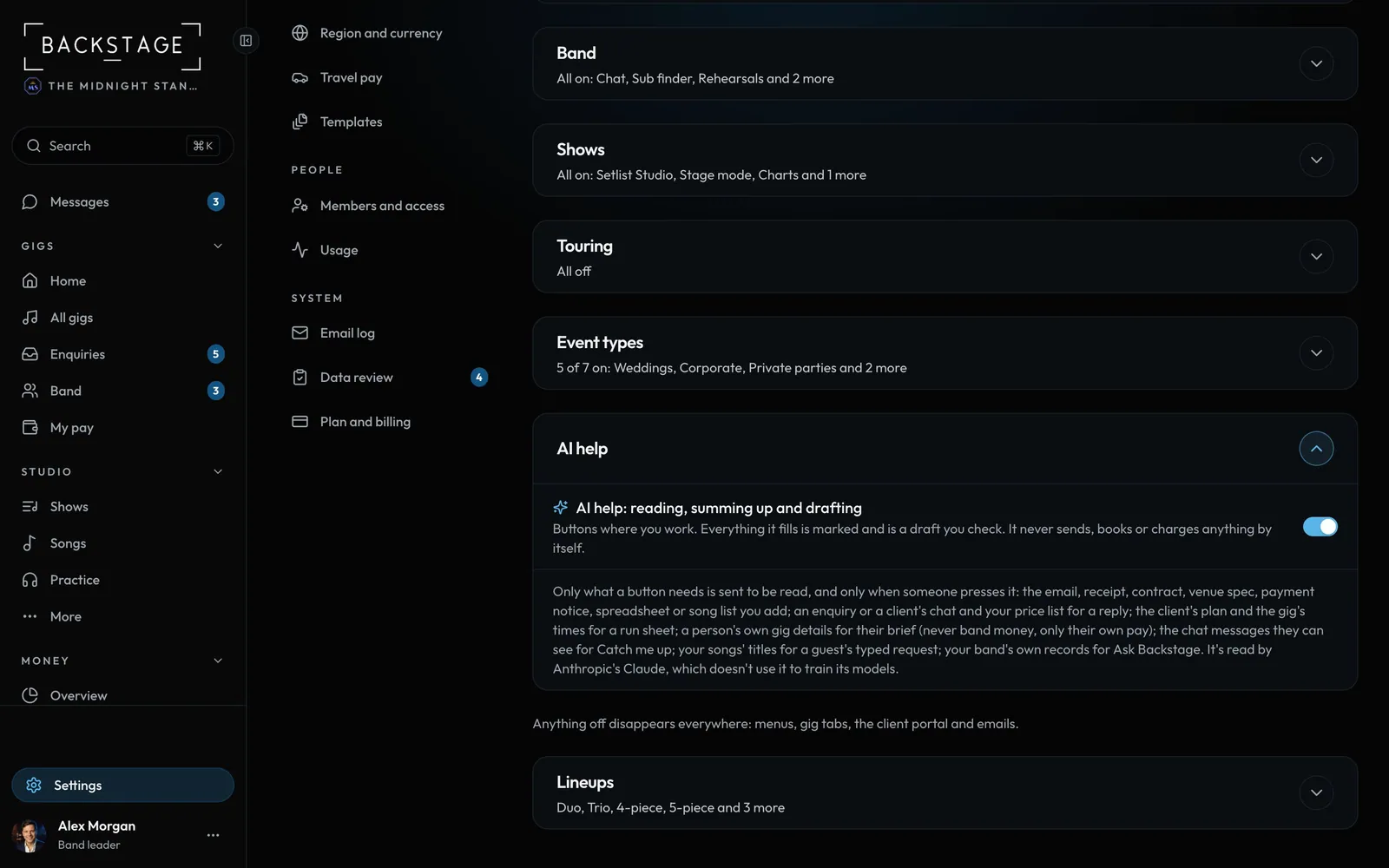
Swipe sideways to see the whole screen. Tap a number for its tip.
- AI helpSettings → Features. On to start.
- The switchOff hides every AI button for the whole band.
- Drafts you checkWhat it fills is marked until you change it.
How to
- Look for the AI buttons where the work is: Fill from an email, Scan a receipt, Draft a reply, Draft it and more. There's no separate AI screen.
- Whatever it fills or writes is a draft. Fields it filled are marked ("From the email") until you change them. Nothing is sent to a client, booked or paid until you do it.
- It only reads what you give it, or your own band's records when you ask. Players never get money answers.
- Each band has a monthly allowance. If it runs out, everything still works by hand until the 1st.
- Don't want it? Settings → Features → AI help switches it off for the whole band.
Tip
Tip
It reads, sums up and drafts. It doesn't decide. Check names, dates and amounts before you save or send, the same as you would with anything someone else wrote for you.