Clients · EmailFor clients and guests
Emails your client gets
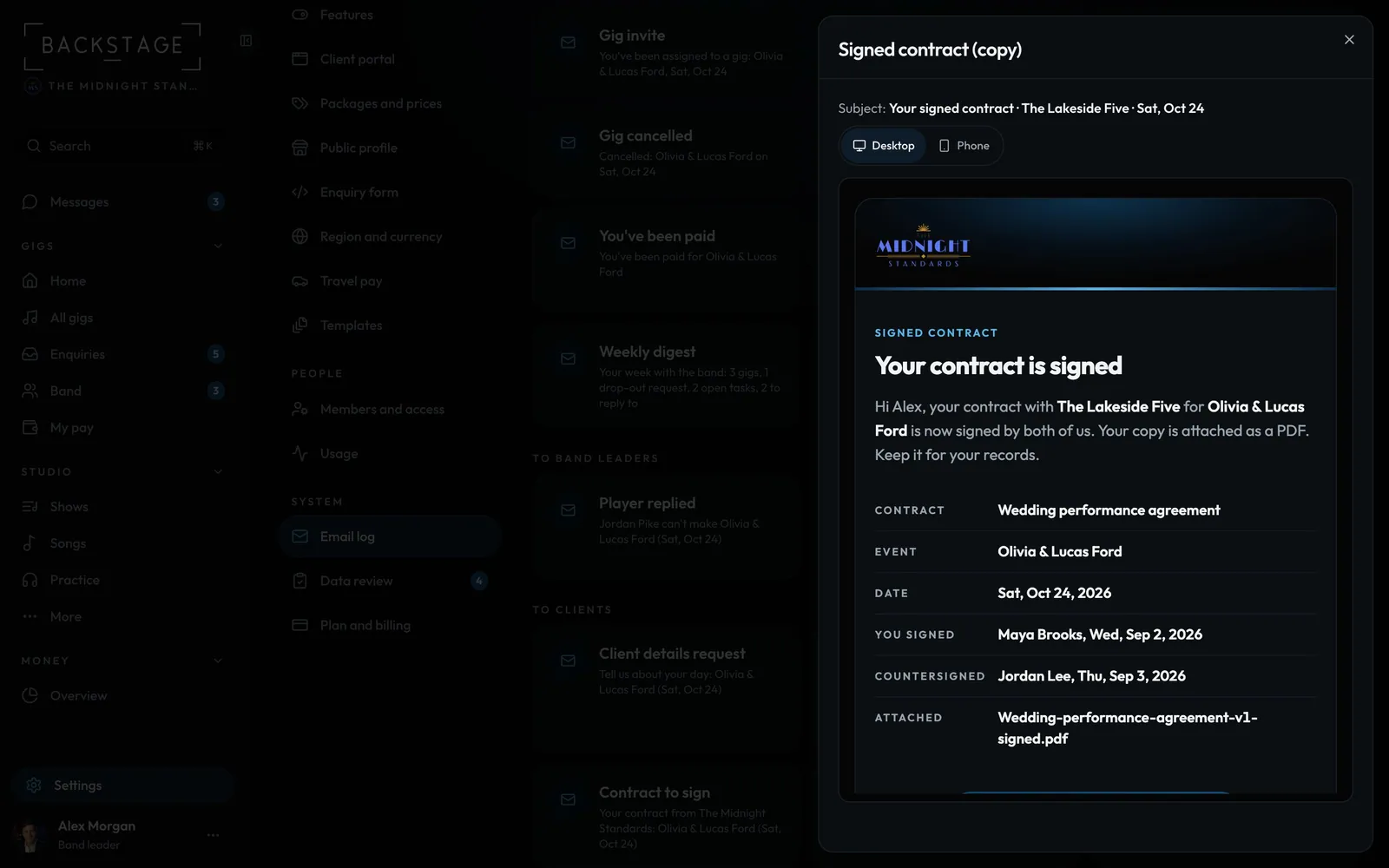
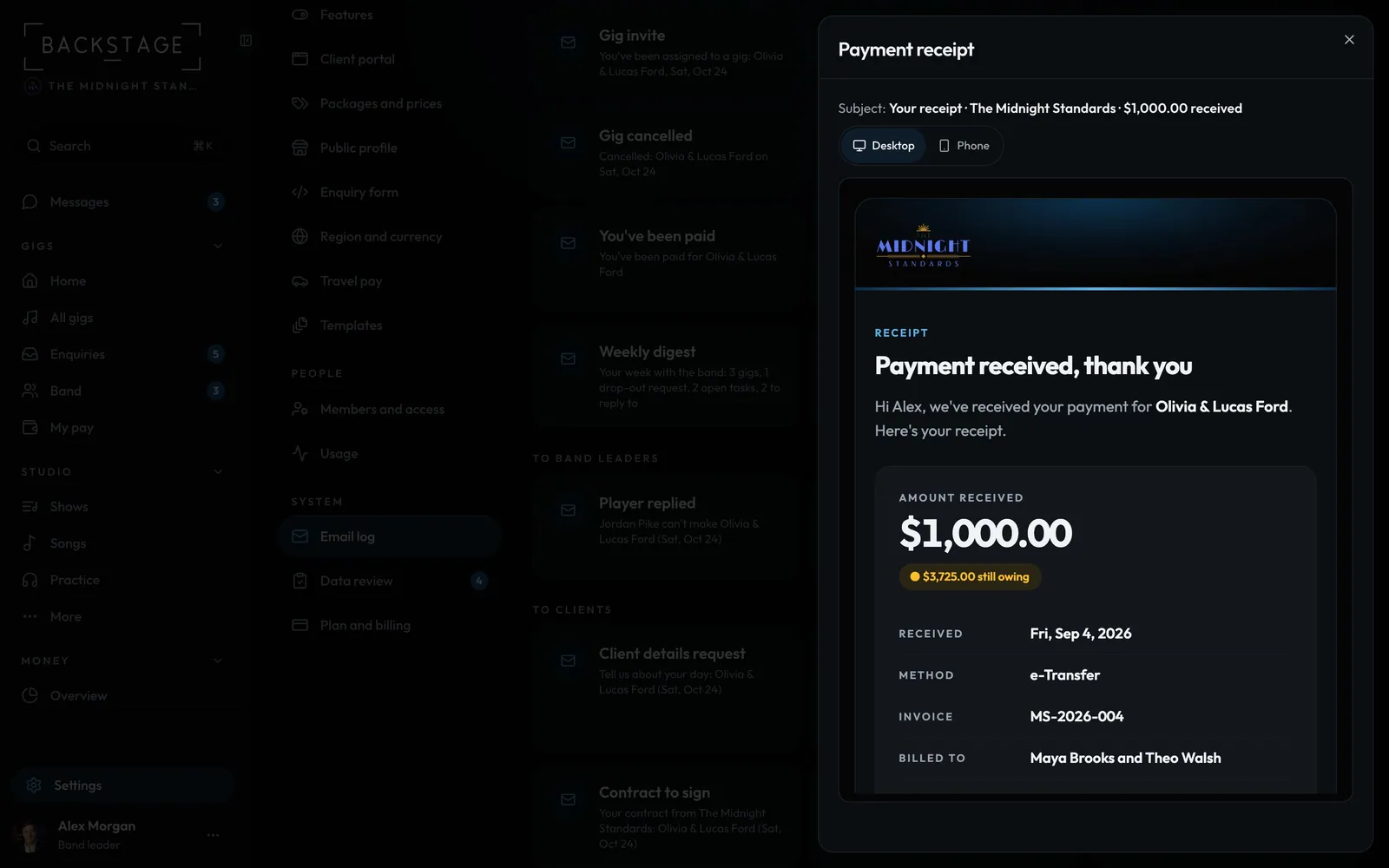
Your client never has to ask for paperwork. Once you countersign, they get the signed contract with the PDF attached. Every payment you record sends them a receipt. Each email has your name and look, and links straight to their own page.
Swipe sideways to see the whole screen. Tap a number for its tip.
- Desktop or PhoneSee it the way they read it.
- Their copySigned by both of you, with the PDF attached.
Swipe sideways to see the whole screen. Tap a number for its tip.
- One per paymentSent once. Updated receipt if you change the amount or method.
- The receiptAmount, method, date, paid so far and what's still owing.
How to
- The signed contract: when you countersign, each client who signs or pays gets their copy once, with the PDF and View in your portal. Your leaders get one too.
- A receipt for every payment you record on the invoice or the gig's Money section, the "deposit already paid" start, and card payments.
- It shows your business details, the gig, the amount, what's paid so far and the balance, or Paid in full.
- Changed the amount or method? They get an Updated receipt. Cash between friends? Untick Email a receipt.
Tips
Tip
Links in these emails open your client's own private page, with your name and colours. No sign-in.Tip
See them all with real names in Settings > Email log: ..., then Every email the app sends.