Everyone
Availability
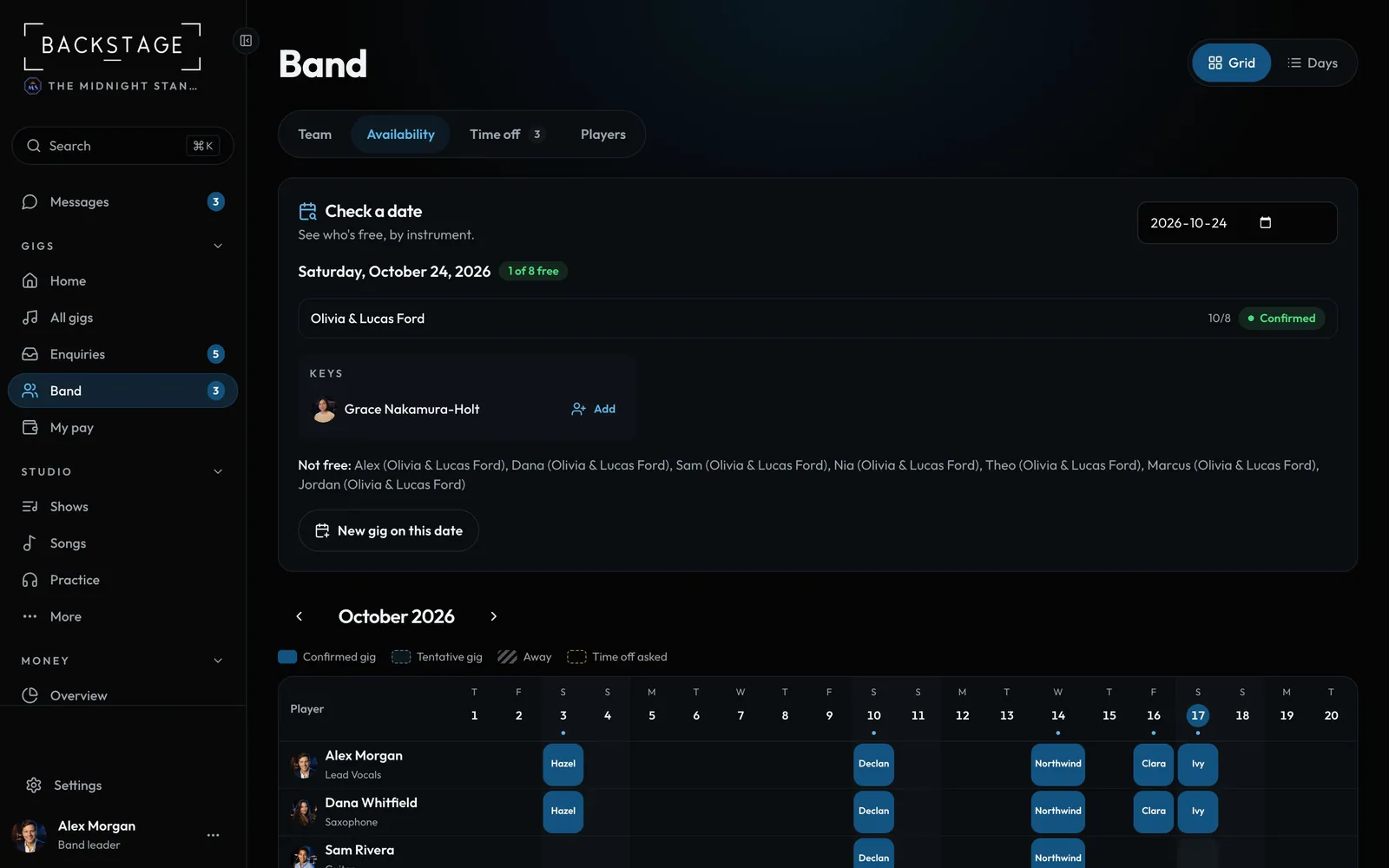
Who's free, who's booked and who's away, for the whole month. Check a single date to see who's free by instrument.
Swipe sideways to see the whole screen. Tap a number for its tip.
- Grid or DaysA month grid or a day-by-day list.
- Check a dateWho's free that day, by instrument.
- Everyone's monthBlue is a confirmed gig, stripes mean away.
How to
- Open Availability from the Band group.
- Scan the grid: each row is a player, each column a day.
- Pick a date in Check a date to see who's free for it.
- Leaders can tap New gig on this date straight from there.